V4.0 Stealth Edition (2026)

Stop Losing
Billable Hours.

The ultimate stealth tool for freelancers. Prevent Hubstaff idle alerts, bypass Time Doctor screenshots, and ensure you get paid for every second you're at your desk.

Get Pro Access Try 7-Day Free Trial
Undetectable Stealth
100% Activity Score
HubstaffTime DoctorUpworkActivTrakMicrosoft Teams

Bypass Idle Timeouts & Keep Trackers Active

Designed for freelancers who need to maintain 100% activity scores and protect their income from aggressive monitoring.

Zero-Idle Bypass

Never let Hubstaff or Upwork mark you "Away." Our engine simulates micro-inputs to keep the server-side timer running even when you step away.

Screenshot Stealth

Automatically cycles through open work windows at random intervals. Prevents "static screen" red flags in Time Doctor or ActivTrak history.

Admin Invisibility

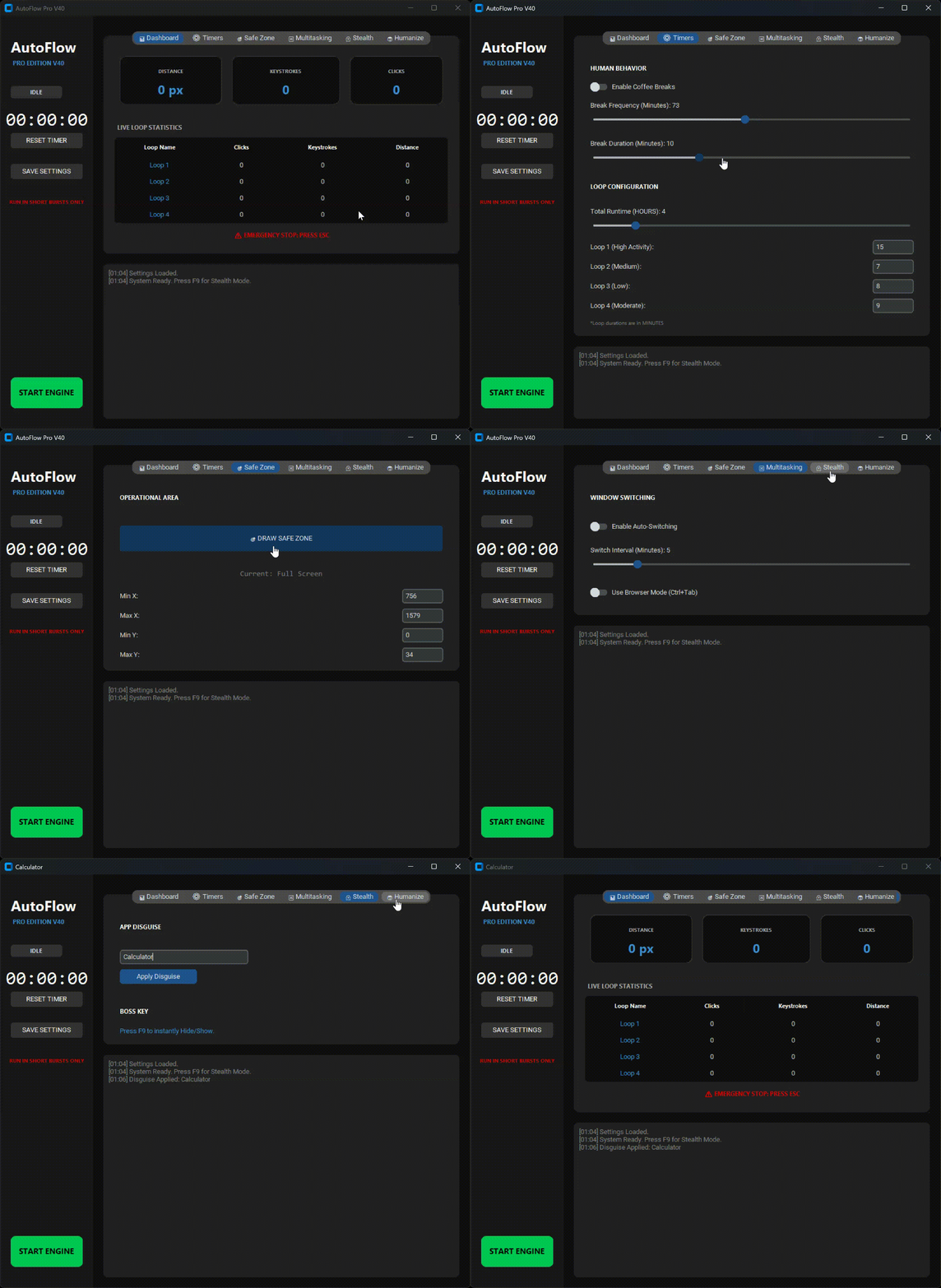
No admin rights required. The software renames itself to "System Host" or "Calculator" in Task Manager so IT managers can't detect it.

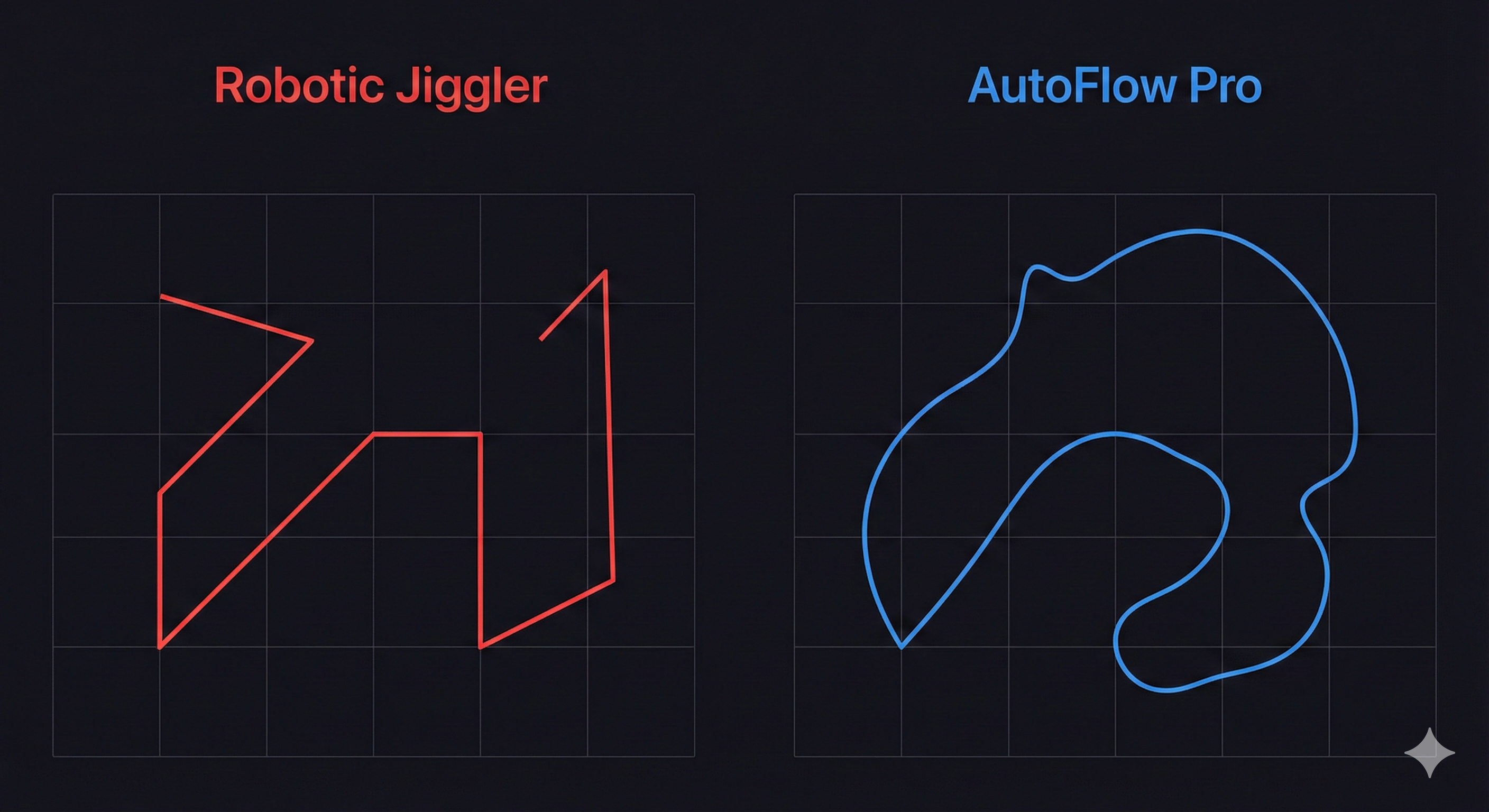
Graph comparing interrupted vs continuous workflow pattern

Precise Activity Simulation

Advanced features to manage your workspace activity with unmatchable stealth.

1. Human-Like Movement Engine

Don't just move the mouse; simulate actual human behavior to defeat AI-based detection algorithms.

  • Bezier Curves: Mouse paths are curved and imperfect to mimic hand tremors.
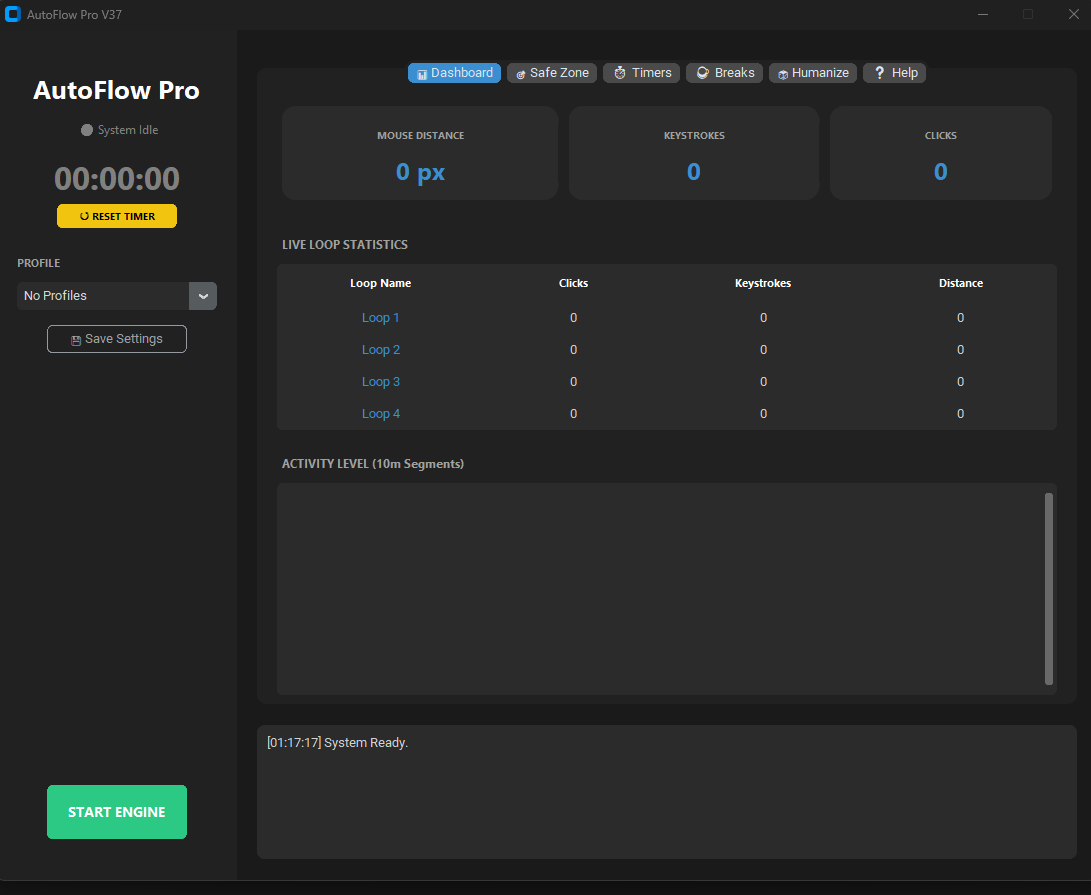
  • Safe Zone: Confine activity to a specific area of the screen for absolute safety.
AutoFlow Plus Dashboard Interface with Safe Zone and Activity Metrics

Tracker Specific Compatibility

Verified countermeasures for every major enterprise tracking engine used today.

The Detection Matrix

How common tracking checks compare against AutoFlow Pro V4.0 countermeasures.

Detection Method How They Catch You How AutoFlow Pro Wins
Idle Timeouts Mark you "Away" after 5-10 minutes of no mouse or keyboard activity. Continuous Heartbeat: Resets server-side idle timers every 60 seconds automatically.
Linearity Check Flags mouse movements that follow perfectly straight lines (standard jigglers). Bezier Paths: Uses mathematical curves that perfectly mimic human hand movement.
Static Screenshots Admins see hours of the exact same screen, proving you aren't working. Window Cycle: Hits Alt+Tab at random intervals to cycle windows for screenshot captures.
Process Scanning IT scans for known software names like "Jiggler.exe" or "AutoClicker." Stealth Disguise: Masked as "Calculator" or "System Host" in Task Manager with no tray icon.

Maximize Your Income Today

Stop losing billable time. Choose the plan that fits your freelance career.

7-Day Free Trial

$0 / trial
  • Full Pro Features Unlocked
  • No Credit Card Required
  • Works with Hubstaff & Upwork
  • Instant Setup (1 Minute)
License key will be sent to the email below. No fake emails.
Recommended

Pro License

Rs. 2000 (Approx. $22) / month
  • Unlimited Use (24/7)
  • Anti-Heuristic Movement
  • Stealth "Boss Key" Mode
  • 24/7 Priority Email Support
Payment Success! Enter details to receive your lifetime key.

Download Software Client

Download for Windows
MacOS (Coming Soon)

Frequently Asked Questions

Everything you need to know about protecting your activity score.

Does this require Admin Rights?

No. AutoFlow Plus is completely portable. Run it from your downloads folder without registry changes or admin privileges.

Will this fix my Activity Score?

Yes. By simulating human-like movements and random keyboard inputs, it keeps your activity percentage high on platforms like Upwork and Hubstaff.

Can my employer detect this?

It is undetectable by standard heuristic analysis. It renames itself to common system processes and simulates real human behavior rather than robotic movements.

How much CPU does it use?

Less than 1%. AutoFlow Plus is extremely lightweight and will not slow down your computer or work apps.

Is the license machine-locked?

Yes. For security and anti-piracy, each license is locked to the hardware ID of the computer where it is first activated.

How do I cancel?

You can cancel anytime by contacting our support team or via the secure link provided in your welcome email.